AEPS API Transaction Failed: Common Errors, Causes & Solutions
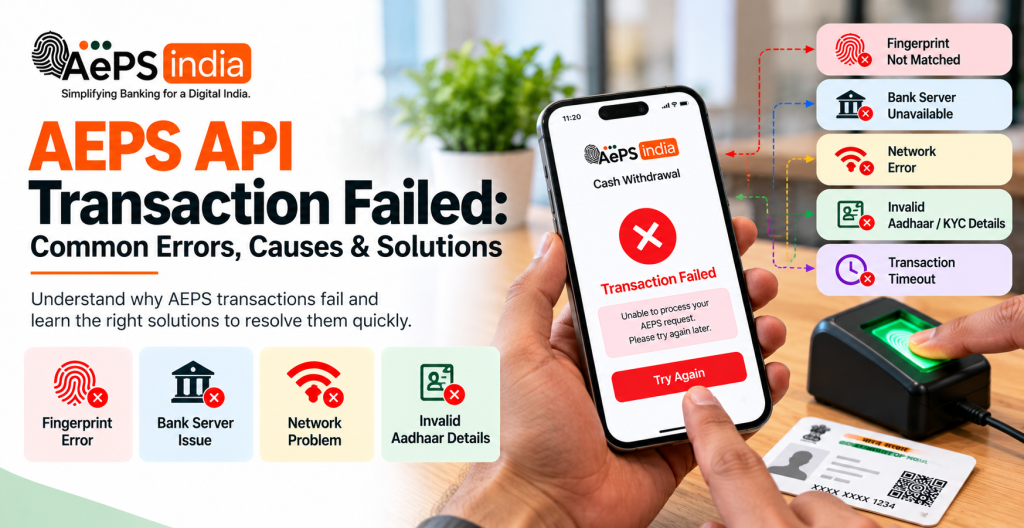
An AEPS API Transaction Failed error can interrupt Aadhaar Enabled Payment System services and create problems for customers, retailers, and digital banking businesses. Whether a customer is unable to withdraw cash, check an account balance, or complete another supported AEPS transaction, identifying the exact cause is the first step toward resolving the issue. Common reasons include biometric authentication failures, incorrect transaction details, poor internet connectivity, bank-side declines, Aeps API timeouts, and temporary service disruptions.
Understanding why an best AEPS API transaction fails helps businesses troubleshoot problems more accurately and reduce unnecessary retries. For example, a biometric error may require checking the Aeps device connection and authentication response, while a pending transaction may require a status enquiry through the service Aeps service API or dashboard. If the bank account has been debited but cash was not dispensed, the transaction must be checked and reported through the appropriate complaint process rather than automatically attempting it again.
An AEPS (Aadhaar Enabled Payment System) API transaction fails usually due to biometric mismatch, unlinked Aadhaar, insufficient balance, or bank server downtime.
For AEPS retailers, distributors, fintech startups, and platform operators, reliable transaction monitoring is essential. An effective AEPS API integration should support clear response messages, transaction reference IDs, status checks, callback handling, and a defined process for investigating failed or pending transactions. These features help operators understand what happened, maintain transaction records, and provide customers with accurate updates.
Aeps India helps businesses explore AEPS software and Aeps API integrated options for digital banking services. When evaluating an AEPS solution, consider Aeps API documentation, Aeps biometric device compatibility, transaction-status tracking, error handling, technical support, and procedures for disputed transactions. A suitable Aeps setup can help businesses manage transaction issues more systematically and improve their day-to-day operations.
Whether you are an AEPS retailer, distributor, fintech entrepreneur, or Aeps cash withdrawal software operator, knowing how to troubleshoot top AEPS API Transaction Failed errors can help you respond more confidently when a transaction goes wrong. Read on to understand the causes, practical solutions, and precautions that can help you manage AEPS transactions more effectively.
In this guide, you will learn the common causes of an AEPS API Transaction Failed error, how to identify different error types, what steps to follow when a transaction is pending or unsuccessful, and how to handle cases where an account is debited but cash is not received. You will also discover practical ways to improve transaction monitoring and reduce avoidable integration problems.
What Does AEPS API Transaction Failed Mean?
An AEPS API Transaction Failed message means that an Aadhaar-Enabled Payment System (AEPS) request such as a cash withdrawal, balance check, or mini-statement processed via Aeps service software integration could not be completed by the bank, NPCI (National Payments Corporation of India), or UIDAI.
AEPS Transaction Error Flow
An AEPS (Aadhaar Enabled Payment System) transaction error flow tracks how a failed request moves from the customer’s biometric scan through the UIDAI and NPCI switches down to the issuer bank, generating a specific error or decline code.
AEPS Transaction Error Flow Diagram (Text Architecture)
[Customer at BC / Micro-ATM]
            │
            ▼ (1. Inputs Aadhaar, Bank, & Amount + Biometric Scan)
[Agent / Retailer App / POS]
            │
            ▼ (2. Routes Request)
[Acquirer Bank / Aggregator]
            │
            ▼ (3. Forwards Biometric Data)
    ┌───────┴───────┐
    ▼               ▼
[UIDAI]      [NPCI Central Switch]
 (Biometric      (Routing &
  Mismatch?)      Validation)
    │               │
    │ (Auth Fail)   │ (Switch / Format / Slab Error)
    ▼               ▼
 [Return Error] ◄───┘
    │
    ▼ (4. Routes to Issuer Bank CBS)
[Issuer Bank CBS]
 (Balance Check / Account Status Check)
    │
    ├─► Insufficient Funds (Code 51)
    ├─► Aadhaar Not Linked / Invalid (Code 52)
    ├─► Frozen / Dormant Account (Code 57)
    └─► Exceeds Limit / Slab Rule (Code 61 / Multiples of 50/100)
            │
            ▼ (5. Generates Failure Response & RRN)
[Acquirer / Agent Terminal Displays Error Message & Receipt]
Key Stages and Common Error Points
Biometric Authentication Layer (UIDAI):
- Failure Cause: Fingerprint mismatch, dry/dirty fingers, or locked/suspended Aadhaar.
- Codes / Status: Biometric capture failure, UIDAI declination codes (such as
KK,KU, or fingerprint index drops).
Switch & Validation Layer (NPCI):
- Failure Cause: Technical drop, format/tag mismatch (H02, T01), or device/RD service malfunction (Error Code 22).
Issuer Bank CBS Layer:
- Insufficient Funds (
51): The customer’s bank balance is lower than the requested withdrawal amount. - Aadhaar Not Linked / Invalid (
52): The 12-digit Aadhaar is not mapped to the selected bank account in the NPCI mapper. - Frozen / Dormant Account (
57): The account status does not permit active debits. - Exceeds Limit / Denomination Rule (
61/ Slab rules): Amount violates daily limits or bank rules (e.g., must be in multiples of ₹50 or ₹100).
Why Do AEPS API Transactions Fail?
Reliable AEPS API transactions fail due to biometric mismatches, unlinked bank accounts, network drops, or bank-level restrictions.
Common Causes of AEPS API Failures
- Biometric Authentication Failures (10–15% rate): Fingerprint mismatches happen due to worn-out or damaged fingerprints, dry/dusty fingers, or low-quality/unregistered Aeps biometric scanners.
- Aadhaar Seeding / Linking Issues: The customer’s 12-digit Aadhaar number is not properly mapped or linked to their bank account, or the AEPS debit facility has been disabled by the issuer bank.
- Insufficient Funds or Limits: The account balance is lower than the requested withdrawal amount, or the transaction exceeds the standard ₹10,000 single-transaction limit set by the NPCI.
- Network & Connectivity Drops: Poor internet signals at rural micro ATM software locations cause request timeouts between the device, the Aeps india, and the UIDAI/NPCI switch.
- Issuer / Bank Server Downtime: Scheduled maintenance, high traffic loads, or technical malfunctions at the specific customer’s bank server return errors (such as response code 96 or switch inoperative).
- API Integration & Validation Errors: Incorrect mapping of IIN (Institution Identification Number), malformed request payloads (H02, T01, R01 tags), or unverified/inactive merchant/retailer onboarding states in the gateway.
What Are AEPS Transaction Errors?
An AEPS (Aadhaar Enabled Payment System) transaction error occurs when a cash withdrawal, balance inquiry, or fund transfer fails during the biometric or bank verification process.
Common AEPS Transaction Errors & Causes
- Biometric Authentication Failed: Fingerprint does not match UIDAI records due to worn-out fingerprints, dry/dirty fingers, or a faulty/unregistered biometric device/RD service.
- Aadhaar Not Linked to Bank: The customer’s 12-digit Aadhaar number is not properly mapped or seeded with the target bank account.
- Insufficient Balance: The account does not have enough funds to cover the requested withdrawal amount, or bank charges reduce the usable balance.
- Network Connectivity Issues: Poor internet reception at the micro-ATM touchpoint drops packets during transmission.
- Server Timeout / Issuer Inoperative: High traffic or technical downtime on the bank, NPCI, or UIDAI switch side.
- Transaction Declined by Bank: Bank-side risk restrictions, frozen/dormant accounts, or exceeding daily/per-transaction limits (capped by NPCI at ₹10,000 per financial transaction).
- Step-Up OTP Authentication Required: For high-value transactions (such as cash withdrawals exceeding ₹5,000 under recent NPCI guidelines), missing the mandatory Aadhaar-linked mobile OTP verification causes a decline.
How to Resolve and Minimize Errors
- Clean and Retry: Wipe the user’s finger and the biometric scanner surface, or try scanning an alternate finger.
- Verify Linkage: Confirm with the bank that the Aadhaar number is active and seeded, and update biometric data at an official Aadhaar Enrolment Centre if fingerprints are worn.
- Check Status: Perform a quick balance inquiry or use USSD (
*99#) before attempting a cash withdrawal. - Wait and Re-attempt: If a server timeout or switch error (like Code 22 – Suspected Malfunction) occurs, wait a few minutes before retrying.
- File a Complaint: If money is debited from an account during a failed transaction, report it immediately via the NPCI Consumer Complaints Portal or the RBI Integrated Ombudsman.
Common AEPS Transaction Errors
Common Aadhaar Enabled Payment System (AePS) transactions fail due to biometric, technical, or account-related errors.
Biometric & Authentication Errors
- Biometric Authentication Failed (Fingerprint Mismatch): Caused by worn-out fingerprints, dry/wet skin, or a dirty scanner.
- Solution: Clean your fingers and the scanner, or use an alternate finger.
- UIDAI / Biometric Lock: The Aadhaar number is locked via the Aeps portal.
- Solution: Unlock biometrics temporarily through the Aeps india website before re-attempting.
- Step-Up OTP Failure: For cash withdrawals exceeding ₹5,000, a mandatory OTP sent to the Aadhaar-linked mobile number is required. Missing or unlinked numbers cause rejections.
Account & Bank Errors
- Aadhaar Not Linked to Bank: The Aadhaar number is not seeded or mapped with the selected bank account.
- Solution: Visit your bank branch to link and seed your Aadhaar.
- Insufficient Balance (Code 51): The account balance is lower than the requested withdrawal amount.
- Solution: Check your balance first.
- Closed / Dormant / Frozen Account (Code 57): The bank account is inactive or restricted.
- Solution: Contact your bank to reactivate or update KYC.
- Exceeds Transaction Limit (Code 61): The amount crosses daily bank or NPCI limits.
- Solution: Try a lower amount.
- Invalid Amount / Denomination Error: Entering non-standard amounts or decimals (e.g., amounts not in multiples of ₹100 or ₹50 depending on bank rules).
- Solution: Enter clean, rounded denominations.
Technical & Network Errors
- Issuer / Switch Inoperative or System Malfunction (Code 96 / Inoperative): Server downtime at the bank, NPCI, or UIDAI.
- Solution: Wait and re-attempt later.
- Network Connectivity Issues: Poor internet dropouts at the Aeps terminal.
- Solution: Switch to a stable network.
- Suspected Malfunction (Code 22): An issue detected with the biometric device, driver, or Registered Device (RD) service integrity.
- Solution: Restart the device and update the RD service app.
- Account Debited but Cash Not Received: A timeout or synchronization lag between the acquirer and issuer switch. Solution: Do not repeat the transaction immediately; check transaction history or contact your bank with the Aeps india Guide / receipt reference.
AEPS API Transaction Pending: Causes and Solutions
An AePS Transaction API transaction remains pending when the request is stuck or unconfirmed between the merchant platform, the National Payments Corporation of India (NPCI) switch, the Unique Identification Authority of India (UIDAI) biometric server, or the customer’s issuer bank.
Common Causes of AEPS Transaction Pending
- Bank/Issuer Switch Outage: The specific customer’s bank server or NPCI switch is temporarily down, slow, or undergoing maintenance.
- Network & Connectivity Drops: Interruption in internet or packet loss between the micro-ATM/agent device, the Aeps india, and the central switch during the handshake.
- Timeout & Response Lag: The UIDAI or bank server takes longer than the standard Aeps API threshold to return a SUCCESS, FAILURE, or DEEMED status code.
- Reconciliation Delay: The amount is debited from the customer’s bank account, but the callback or confirmation acknowledgment is not immediately pushed back to the merchant wallet.
Solutions & Best Practices
- Wait for Auto-Reconciliation: Do not immediately re-initiate or force a duplicate cash withdrawal. Wait up to 24 hours for automated status synchronization and query checks through the Aeps mini statement API switch.
- Check Status via API Query: Use your Aeps india status-check or transaction query Aeps cash withdrawal API endpoint (passing the unique transaction reference/UTR) rather than guessing the state.
- Handle Deemed / Refund Cycles: If a transaction times out and ends up marked as failed after reconciliation, ensure your system processes automated or manual refunds back to the user or wallet within 3 to 5 working days.
- Switch or Upgrade Providers: Integrate with a Aeps india that maintains high uptime (>98%), fast switch response times, and real-time T+0 callback logs.
- Monitor RD Service & Hardware: Ensure the Buy Aeps biometric device (Mantra) and Registered Device (RD) service drivers are updated to prevent localized handshake timeouts.
AEPS Transaction Failed but Money Debited: What to Do
If an AEPS (Aadhaar Enabled Payment System) transaction fails but money is debited from your account, the amount is usually auto-reversed back to your bank account within 5 working days (T+5 days) without needing to raise a complaint.
What to Do Immediately
- Wait for Auto-Reversal: Give the best Aeps system up to 5 days (T + 5 days, where T is the transaction date) for the bank and NPCI to process the automatic credit adjustment.
- Collect Transaction Proof: Ask the AEPS agent or micro ATM operator for a printed or digital transaction receipt. Note down the RRN (Retrieval Reference Number), Transaction ID, date, time, agent ID, and outlet location.
- Check Bank Account Statement: Verify via your bank’s mobile Aeps app, SMS alerts, or passbook whether the money has already bounced back before taking further steps.
Step-by-Step Action Plan If Refund is Delayed
If the money is not credited back after 5 working days:
Contact the AEPS Agent / Operator:
- Visit the Aeps india and show them the failed transaction receipt or SMS.
- Ask the operator to check their terminal/portal transaction history.
File a Complaint with Your Bank:
- Visit your home bank branch or call your bank’s official customer care helpline.
- Submit a written refund application or chargeback request attaching your account details, Aadhaar number, transaction date, amount, and RRN/receipt.
- Obtain a complaint reference number or stamped acknowledgement from the bank.
Escalate to NPCI / Toll-Free Numbers:
- If your bank does not resolve the issue within the timeline or if the delay exceeds T+5 days, banks are liable to pay a compensation of ₹100 per day as per RBI/NPCI guidelines.
- You can reach out to national helpline numbers like 155299 (Cyber Crime and Financial Fraud helpline) or contact your issuer bank’s nodal officer / India Post Payments Bank if applicable.
How to Check AEPS API Transaction Status
To check an high speed AePS API transaction status, developers and fintech platforms use specific reporting endpoints provided by their Aeps india.
How to Check Status via API
- Endpoint Call: Send a
POSTor status inquiry request to Aeps india server designated transaction report endpoint (e.g., https://api.instantpay.in/reports/txnStatus). - Mandatory Parameters:
- Transaction Date (
transactionDatein YYYY-MM-DD format) - External Reference / Transaction ID (
externalRefor unique RRN) - Source / Product Code (e.g.,
ORDERfor AePS orAEPS)
- Transaction Date (
- Authentication Headers: Include your Aeps API credentials (such as client ID, secret keys, or auth tokens like X-Ipay-Auth-Code depending on the gateway).
Best Practices & Timings
- Wait Time for Pending/Timeout: If a transaction is in a PENDING or TIMEOUT state, wait at least 30 minutes before hitting the Aeps status inquiry API.
- Retry Intervals: Maintain a minimum gap of 4 hours between repeated status checks or retries to avoid overloading switch queues.
- Response Parameters: The Aeps Balance Inquiry API typically returns fields like status (SUCCESS, FAILED, or PENDING), statusDesc (error or status description), txnAmount, timestamp, and externalRef.
AEPS API Error Codes: Meaning, Causes and Troubleshooting
AEPS Fund Transfer API error codes are status codes returned by the NPCI, UIDAI, or issuing bank when a biometric or financial transaction fails. You can explore complete integration guidelines through the AEPS API Services Guide.
Common AEPS Error Codes, Causes, and Solutions
| Error Code / Response | Meaning | Cause | Troubleshooting / Action |
|---|---|---|---|
| 00 | Approved | Transaction successful | No action required. |
| 05 | Do Not Honor | General bank decline | Ask customer to re-attempt or use another bank account. |
| 51 | Insufficient Funds | Account balance is lower than the requested withdrawal amount. | Verify balance first or try a smaller amount. |
| 52 | Invalid Account / Aadhaar Not Linked | Aadhaar is not seeded or linked with the bank account. | Ask the customer to link their Aadhaar at their bank branch. |
| 57 | Frozen Account | Account is dormant, frozen, or inactive. | Customer must contact their bank to reactivate the account. |
| 61 | Exceeds Limit | Daily or monthly AEPS/withdrawal limit reached. | Try again the next day or use an alternate bank. |
| 22 | Suspected Malfunction | Device driver, RD service, or request integrity issue. | Restart RD service, check device connectivity, or update drivers. |
| U3 | Biometric Data Did Not Match | Fingerprint impression failed to match UIDAI records. | Clean the scanner, try an alternate finger, or re-enroll. |
| UI | UIDAI Timeout | UIDAI server is slow or unreachable. | Wait a few minutes and re-initiate the transaction. |
| UW | Amount Exceeds Limit | Withdrawal crosses bank-defined single-txn limits. | Reduce the withdrawal amount and retry. |
| U67 | Issuer Inoperative | The customer’s bank server is temporarily down. | Wait and retry later, or contact the issuer bank. |
General Troubleshooting Steps
- Check Biometric Hardware: Reconnect the Aeps fingerprint scanner, clear the cache of the Registered Device (RD) service, and make sure drivers are updated.
- Verify Multiples: Ensure cash withdrawal amounts follow bank rules (e.g., multiples of ₹50 or ₹100).
- Confirm Whitelisting & Credentials: For best Aeps API developers, verify that production IP addresses are whitelisted and secret-key, secret-key-timestamp, and request_hash headers are valid.
Step-by-Step Process to Fix an AEPS API Transaction Failure
To fix an Aeps API transaction failure, follow these diagnostic and resolution steps across hardware, Aeps b2b software, and banking channels:
Step 1: Check Immediate Response Code & Logs
- Inspect API Response / Logs: Look at Aeps application debug or JSON/XML response logs to identify the exact error code or message (e.g., Error Code 22 for suspected malfunction, server timeout, or packet mismatch).
- Verify Hash & Credentials: If running on a production or staging Aeps payment API environment, confirm that your secret key, request hash, and callback URLs (must be HTTPS) are generated properly according to Aeps transaction API documentation.
Step 2: Troubleshoot Hardware & Biometric Device
- Clean & Re-scan: Clean the Aeps fingerprint/Aeps iris scanner surface and the customer’s finger. Try an alternate finger if the primary print fails quality checks.
- Check RD Service Status: Open the Registered Device (RD) application (such as Mantra) to verify that the device is registered, the certificate is valid, and the firmware is updated. Reinstall or re-register the RD service if corrupted.
- Inspect Connections & Drivers: Replace faulty USB cables, resolve conflicting biometric drivers if multiple scanners are installed, and disable USB selective suspend settings on Windows PCs.
Step 3: Validate Network & Connectivity
- Switch Networks: Move from unstable mobile data to a high-speed fiber WiFi or a reliable 4G/5G mobile hotspot to eliminate packet drops or timeout errors.
- Retry Intermittent Failures: For server timeouts or network drops at the National Payments Corporation of India (NPCI) or Issuer Bank level, wait a few seconds and re-attempt the transaction.
Step 4: Verify Customer & Bank Account Details
- Confirm Aadhaar-Bank Mapping: Ensure the customer’s 12-digit Aadhaar number is active and properly mapped/linked to the chosen bank account (and correct IIN Institution Identification Number).
- Check Account Status & Limits: Verify that the bank account is not closed, dormant, or frozen, and that the requested withdrawal amount does not exceed daily AEPS limits or available balances.
Step 5: Escalate & Reconcile
- Contact AEPS API Provider: If backend/switch errors persist, reach out to Aeps india (e.g., via 24/7 helpdesks or designated support emails) with transaction IDs and logs.
- Bank & Regulatory Grievance: If money was debited from a customer’s account but failed to credit the agent wallet or dispense cash, collect the transaction receipt (with Transaction ID, timestamp, and Terminal ID), log a complaint with the issuer bank (resolution window of 7–10 days up to 30 days), and escalate to the Aeps service Portal or the RBI Ombudsman if unresolved after 30 days.
AEPS API Integration Errors Developers Should Check
When building or maintaining financial technology Aeps application in India, developers Aeps API integrated deal with a complex pipeline that links an Aeps agent application, local biometric hardware, and the National Payments Corporation of India (NPCI) with the UIDAI and core Aeps banking system. Because these components handle sensitive financial transactions, overlooking integration requirements triggers immediate transaction failures or compliance penalties.
Developers should rigorously check and handle these four distinct layers of AEPS API integration errors:
1. Dynamic Authentication & Gateway Errors
Unlike standard REST Aeps API that use fixed or long-lived authorization tokens, AEPS gateways require heavily dynamic authentication. Common pitfalls include:
- Static Secret Keys: Passing hardcoded values for parameters like secret-key or secret-key-timestamp will result in authentication failure. These must be generated dynamically per session or request.
- Initiator Access Forbidden: This indicates that the initiator_id or user code being passed is incorrect or, more commonly, the retail agent has not been ACTIVATED via the merchant Aeps onboarding and e-KYC flow.
- Environment Mismatches: Accidentally passing UAT/Sandbox credential values into the Production environment parameters, or vice-versa.
2. Biometric & Registered Device (RD) Service Failures
A significant portion of AEPS integration challenges happen at the hardware abstraction layer where the Aeps commission app talks to Aeps fingerprint device or Aeps iris scanner device.
- Device Not Registered: The certified Aeps biometric scanner (e.g., Mantra) must interact through an active Registered Device (RD) Service app. If the SDK fails to read the device registration token, it cannot securely encrypt the biometric data.
- Incorrect Payload Structures: The XML/JSON biometric payload structure returned by the RD service must be safely passed to the Online Aeps API. Invalid request formats or structural issues with the Head, Txn, or Payer tags trigger standard standard AEPS validation errors (like H02 or T01).
3. UIDAI Decline & Aadhaar Validation Codes
When an API request structurally clears best Aeps gateway, it reaches the UIDAI network for cryptographic identity mapping. Aeps Developers must gracefully catch UIDAI response codes:
- Biometric Mismatch (e.g., Error Codes KK, KU): Caused by poor fingerprint capture, dirty scanners, or mismatched biometric data.
- Aadhaar Suspended/Locked (e.g., Error Codes U1-U6): The customer’s Aadhaar profile has biometric locking turned on or is temporarily deactivated at the citizen level.
- Demographic Failures: Occur if the system tries to validate customer names or details alongside biometrics and a discrepancy is found.
4. Bank / PSP Response Failures (NPCI Routing)
Once UIDAI confirms identity, the transaction maps to the customer’s linked bank account. Your code must parse bank response attributes explicitly to inform the agent:
- Code 52 (Invalid Account / Aadhaar Not Linked): The customer’s Aadhaar number is verified, but it has not been mapped to a bank account under the NPCI central mapper.
- Code 51 (Insufficient Funds): Standard low-balance decline.
- Code 61 (Exceeds Limit): The customer has hit their daily micro ATM transaction ceiling or the single-transaction cap (typically ₹10,000).
- Code 96 / 05 (System Malfunction / Do Not Honor): The core banking service provider (PSP) or issuer bank’s technical backend is down.
Core Integration Best Practices for Developers
| Focus Area | Best Practice Strategy |
|---|---|
| Idempotency | Generate unique TxnID parameters for every single API push. In network dropouts, developers must call the Transaction Status Inquiry API before allowing an agent to retry, avoiding double-debiting customer accounts. |
| Webhook Callbacks | Secure webhook endpoints with strict digital signatures. Delayed transaction response payloads sent asynchronously by banks must be tightly parsed to adjust wallet balances accurately. |
| IP Whitelisting | AEPS production environments mandate strict Static IP whitelisting. Requests sent from unauthorized cloud environments or non-whitelisted servers will trigger standard HTTP 403 Forbidden errors. |
AEPS Transaction Reversal, Refund and Dispute Resolution
AePS failed transactions, auto-reversals, and disputes are governed by Reserve Bank of India (RBI) and National Payments Corporation of India (NPCI) guidelines.
Refund Eligibility & Rules
- Successful Transactions: Once cash is dispensed or a transfer is completed via biometric authentication, the transaction is irreversible and not eligible for a refund.
- Failed / Debited Transactions: If your bank account is debited but cash is not dispensed (or the terminal times out), the amount is eligible for an auto-reversal.
- Timeline (TAT): Under RBI Harmonization of Turn Around Time (TAT) guidelines, failed AePS transactions must be auto-reversed by your issuing bank within T+1 to T+5 business days.
- Penalty for Delay: If the bank fails to reverse a valid failed transaction within T+5 days, the issuing bank is liable to compensate the customer at ₹100 per day.
Step-by-Step Dispute & Refund Process
Immediate Action at the AePS / Micro-ATM Center:
- Do not leave the location immediately.
- Collect and keep the transaction receipt showing the Retrieval Reference Number (RRN), transaction ID, timestamp, terminal ID, and amount.
- Inform the AePS agent/merchant to check their daily log or terminal reconciliation status.
Raise a Complaint with Your Issuing Bank:
- Contact your account-holding bank via their toll-free helpline, mobile Aeps banking app, net banking, or home branch. Provide your account number, transaction date, amount, and the RRN.
- The bank will raise a chargeback or dispute via NPCI’s Unified Dispute and Issue Resolution (UDIR) system. Standard bank resolution takes 7 to 10 working days, with an outer regulatory limit of 30 days.
Escalate Unresolved Disputes:
- NPCI Portal: If the issue is not resolved within 7–10 days, you can register a complaint on the NPCI Consumer Complaints Portal.
- RBI Ombudsman: If the bank fails to resolve the matter within 30 days, you can file a free complaint via the RBI Banking Ombudsman (CRIOS).
How AEPS API Developers Can Prevent Transaction Failures
AEPS API developers can prevent transaction failures by optimizing hardware integration, implementing robust pre-checks, and handling bank or switch timeouts gracefully.
Hardware and Biometric Optimization
- Enforce STQC and L1 Certification: Ensure the best Aeps application strictly mandates STQC-certified and L1 Aeps fingerprint or Aeps iris scanners to eliminate device-level rejection errors.
- Implement Best Finger Detection (BFD): Integrate BFD utilities to guide users to the optimal fingerprint before pushing the authentication request to UIDAI servers.
- Mandate RD Service Checks: Automatically ping and verify that the Registered Device (RD) service is active and updated on the merchant’s terminal prior to capture.
Input Validation and Pre-Transaction Checks
- Validate Aadhaar Linking Status: Build pre-check routines to confirm the customer’s Aadhaar is mapped to the selected Issuer Identification Number (IIN) / bank before triggering a withdrawal.
- Sanitize Inputs: Check Aadhaar formatting, virtual IDs (VID), and bank-selection parameters on the client and gateway side to prevent malformed Aeps API payloads.
- Prompt Balance Verification First: Encourage or programmatically route micro-transactions through a balance inquiry step when a customer’s account status or liquidity is uncertain, reducing insufficient-balance declines.
Network and Switch Management
- Multi-Bank Routing (IIN Failover): Connect to multiple bank gateways or use intelligent switch routing to dynamically bypass down or unresponsive issuer banks.
- Implement Asynchronous Retry Logic: Configure idempotent retry mechanisms with safe back-off intervals for server timeouts or gateway drops, ensuring duplicate debits do not occur.
- Handle Pending and Reversed States Clearly: Write explicit webhook and polling handlers to reconcile pending, timed-out, or dropped transactions cleanly between the NPCI switch and your Aeps merchant wallet.
Biometric Device and RD Service Troubleshooting for AEPS
Troubleshooting best Aeps biometric device and Registered Device (RD) service issues for best Aadhaar Enabled Payment System (AePS) involves resolving driver conflicts, expired subscriptions, and hardware connection errors.
General & Connection Troubleshooting
- Check Physical Connections: Ensure the USB cable or OTG adapter is tightly plugged into a working port. Avoid USB hubs if possible; plug directly into the computer or phone.
- Verify Internet Connectivity: RD services require active internet access for key rotation and UIDAI synchronization.
- Check System Date & Time: Ensure your device time is set to Indian Standard Time (IST, UTC+05:30) and automatically synced with the network. Incorrect clock settings cause immediate authentication failures (e.g., Error 214).
- Restart RD Service (Windows):
- Press Win + R, type services.msc, and press Enter.
- Locate your device’s RD Service (e.g., MantLIra RD Service).
- Right-click the service and select Restart.
Software & Driver Fixes
- Reinstall RD Service: If the device shows “Not in Ready State,” uninstall the old RD Service and USB drivers from Control Panel, delete temporary service folders in
C:\drive, and reinstall the latest setup package as Administrator. - Renew Expired Subscriptions: If your device throws an error related to blacklisted, expired, or unregistered status, check and renew your device’s RD subscription via official portals such as RD Service Online.
- Mobile Devices (Android): Uninstall the existing RD Service app, clear cache, and reinstall the latest version from the Google Play Store, making sure to grant all required permissions.
Common AePS Error Codes & Fixes
- Error 300: Customer or merchant placed their finger improperly on the sensor; clean the scanner and re-scan flat with light pressure.
- Error 527: System date or time format is incorrect; verify DD/MM/YYYY and time zone settings.
- Error 22 (Suspected Malfunction): Caused by outdated AePS service application builds or dirty sensors; update your reliable AePS app to the latest version and clean the sensor daily.
- Device Blocked (NPCI U3/U16): Occurs if fingerprint mismatches repeat too frequently; ensure proper finger placement or switch to alternative verification if supported.
AEPS API Transaction Failed: Retailer and Distributor Troubleshooting Checklist
An low cost AEPS API Integration transaction failure happens when Aadhaar-based authentication, NPCI routing, or bank-side processing breaks down.
Retailer Troubleshooting Checklist (At the Counter)
Biometric Authentication Failed:
- Clean the customer’s finger and wipe down the STQC-certified Aeps biometric scanner surface.
- Ask the customer to use an alternative finger (thumbs or index fingers usually work best).
- Re-register or restart the L1 Aeps biometric device service/app on your mobile or POS terminal.
Aadhaar Not Linked to Bank (Error Code 52):
- Verify that the customer has mapped their active Aadhaar number to the specific bank account selected in best Aeps app. Guide them to visit their bank branch or use bank-specific mobile banking to re-link.
Insufficient Balance (Error Code 51):
- Run a Balance Inquiry first before attempting a cash withdrawal.
Network Connectivity / Timeout Issues:
- Switch your device between mobile data (4G/5G) and Wi-Fi to stabilize internet dropouts.
- Restart the application or micro-ATM device and re-initiate the transaction.
Customer Bank / Issuer Inoperative:
- If the response code indicates a bank server downtime (
96or system malfunction), wait a few minutes or ask the customer to use a different bank account.
Amount Debited from Customer, Not Credited to Wallet:
- Do not panic. Print or save the transaction failure slip/receipt showing the RRN (Retrieval Reference Number) and timestamp. Inform the customer that auto-reversals typically process within 7 to 10 working days as per RBI guidelines.
Distributor Troubleshooting Checklist (Backend & Network Level)
API & Gateway Status:
- Check Noble web studio server uptime Aeps dashboard for general NPCI or UIDAI switch outages.
- Validate that your Aeps Merchant ID (MID) and Aeps API key have not expired or hit daily/monthly volume caps.
IP Whitelisting & Callback Issues:
- Confirm that your server’s public IP address is properly whitelisted with Aeps india.
- Check your HTTPS callback and JSON/XML response handlers to ensure timeout drops aren’t happening on your backend.
Compliance & KYC Audits:
- Ensure retailers under your hierarchy adhere to the “One Operator, One Bank” and proper merchant KYC guidelines.
- Verify that biometric PID blocks are never stored or logged on trusted Aeps application servers.
Escalation Protocol:
- If an RRN is generated but settlement is stuck, log a dispute ticket immediately with the Aeps india support desk attaching the STAN, RRN, and timestamp logs.
AEPS API Transaction Failure vs Pending vs Declined: Key Differences
In Aadhaar Enabled Payment System (AEPS) transactions, understanding the status of a payment is critical for agents, merchants, and customers.
The core difference is that a Failure is an operational error, a Pending status is a temporary network delay, and a Declined status is a deliberate rejection due to business rules (like insufficient funds).
Here is a direct comparison of the key differences:
| Metric | Transaction Failure ❌ | Transaction Pending ⏳ | Transaction Declined ⛔ |
|---|---|---|---|
| What it means | The transaction stopped due to a system, hardware, or connection error. | The transaction is stuck in transit between banks; the final status is unknown. | The banking system successfully processed the request but actively rejected it. |
| Primary Causes | • Network timeout • Biometric device mismatch • API integration errors | • Heavy server load at NPCI • Issuer bank downtime | • Insufficient balance • Wrong Aadhaar number • Limit exceeded |
| Money Debited? | Usually No. If debited, it auto-reverses quickly. | Maybe. Money may leave the customer’s account but not reach the wallet. | No. The account is checked, but no money is moved. |
| Resolution Time | Immediate retry is usually safe. | Do NOT retry. Wait for final status (takes up to 24–48 hours). | Immediate. Customer must fix the issue (e.g., deposit cash). |
Detailed Breakdown
1. Transaction Failure
- The Situation: This happens on the technical side before a financial decision can even be made.
- Action to take: Check the error code. If it is a biometric capture error, clean the scanner and try again. If it is an Aeps bank API timeout, check your internet connection before retrying.
2. Transaction Pending
- The Situation: This is the trickiest state. The National Payments Corporation of India (NPCI) or the bank’s switch hasn’t responded with a success or failure code yet.
- Action to take: Never hand over cash to the customer while a status is pending. Check your AEPS transaction status API webhook or transaction history status after 15–30 minutes. If it doesn’t resolve, it will automatically settle into “Success” or “Failure” within 1 to 3 business days.
3. Transaction Declined
- The Situation: The technology worked perfectly, but the bank said “No.”
- Action to take: Look at the specific response code (e.g., 51 for Insufficient Funds). Inform the customer of the exact reason so they can resolve it with their bank.
How to Reduce AEPS Transaction Errors
To reduce Aadhaar-enabled Payment System (AePS) transaction errors, operators and merchants must fix common hardware, network, and bank-mapping issues before submitting requests.
Top Solutions for Common AePS Errors
- Biometric Authentication Failures: Clean Aeps fingerprint scanners regularly and calibrate device sensors. Ask customers to clean or dry their fingers, or try scanning an alternate finger if the primary print is worn out. Ensure your biometric device is registered and that the Registered Device (RD) service is active and updated.
- Aadhaar-to-Bank Linking Issues: Verify that the customer’s 12-digit Aadhaar number is properly seeded and mapped to their bank account. If unlinked, direct the customer to link their Aadhaar at their home branch or via net banking.
- Incorrect IIN (Institution Identification Number): Double-check that you have selected the correct bank and updated IIN list in your application, as entering a wrong IIN causes immediate routing failures.
- Amount and Denomination Errors: Enter whole numbers that comply with bank-specific slab rules (such as multiples of ₹50 or ₹100) instead of non-standard amounts or decimals.
- Insufficient Balance or Frozen Accounts: Perform a quick balance inquiry prior to initiating a cash withdrawal to prevent rejections from low funds or dormant/frozen accounts.
- Network and Server Timeouts: Use a stable, high-speed internet connection. If you encounter a bank-side server delay or switch/issuer inoperative error, wait a few minutes before retrying rather than spamming duplicate requests.
- Operator Training: Train store staff and Business Correspondents (BCs) on proper device placement, correct error-code identification, and customer consent protocols.
Aeps Security & Compliance
Aadhaar Enabled Payment System security and compliance are governed by strict frameworks from the Reserve Bank of India (RBI), National Payments Corporation of India (NPCI), and Unique Identification Authority of India (UIDAI).
Core Security Features
- Biometric Authentication: Uses unique best Aeps fingerprint system or Aeps iris scan system via UIDAI-approved L1 Aeps devices (such as Mantra) to verify identity.
- End-to-End Encryption: Encrypts sensitive financial data and personal details during transmission and storage using TLS 1.3 and multi-layered protocols.
- Cardless & PIN-less Model: Eliminates physical cards or static PINs, reducing risks related to card skimming or lost credentials.
- Transaction Limits: Caps cash withdrawals at ₹10,000 per transaction, with daily limits managed by respective banks.
Regulatory Compliance & New Mandates (Effective January 1, 2026)
- Mandatory Operator KYC: AePS Touchpoint Operators (ATOs) and Business Correspondents (BCs) must complete full KYC and due diligence through acquiring banks before onboarding.
- One-Operator-One-Bank Linking: Ties operators under stricter tracking to prevent misuse across multiple banking channels.
- Revalidation for Inactive Operators: Operators inactive for 3 consecutive months must undergo fresh KYC revalidation.
- Anti-Spoofing & Liveness Checks: Enforces active fraud-detection layers to guard against fake biometrics and unauthorized access.
Aeps india One of The AEPS API Provider with Reliable Error Handling
Aeps india one of the right AEPS API provider with a reliable error-handling mechanism is critical for preventing stuck funds, maintaining high retailer trust, and preserving business revenue. Because top AEPS transactions involve multiple entities including the National Payments Corporation of India (NPCI), UIDAI biometric systems, the Aeps business portal, and the acquiring/issuing banks errors can happen at any juncture.
Here is a structured blueprint to help you evaluate and choose an Aeps india that excels at managing transaction states and errors.
1. Robust Transaction State Communication
Aeps india shouldn’t just tell you a transaction failed; they must define why and where it stalled. Aeps india explicitly distinguishes and handles the four core transaction states:
- Success: Instant completion accompanied by accurate, real-time ledger updates and Aeps commission processing.
- Failed: Instant rejection with a definitive reason (e.g., “Insufficient Funds,” “Incorrect Aadhaar,” “Biometric Mismatch”) so the merchant can advise the customer immediately.
- Pending: The trickiest state. The Aeps Biometric API must clearly flag when a transaction is awaiting an upstream response from the customer’s bank or the NPCI.
- Reversed: Clear callbacks showing that a previously interrupted transaction was nullified, returning the funds to the customer.
2. Mandatory Technical Integration Requirements
When reviewing the Aeps developer documentation or sandbox environment, verify that they natively support these three error-resilient functionalities:
| Feature | What it is | Why it matters for Error Handling |
|---|---|---|
| Automated Re-query/Status API | A dedicated endpoint to fetch the actual status of a “Pending” transaction. | Prevents duplicate debiting if a user or system retries a timed-out transaction. |
| Webhook Callbacks | Real-time asynchronous alerts sent directly to your server. | Ensures your database updates immediately when a pending transaction succeeds or fails hours later, without making spammy API requests. |
| Idempotency Keys | Unique request identifiers sent with every transaction attempt. | Guarantees that if a network failure happens mid-request and you retry, the backend processes the transaction exactly once instead of executing double withdrawals. |
3. Clear Automated Dispute & Reconciliation Workflows
When biometrics fail or timeouts happen, money can get trapped between banking switch systems. Look for a Aeps india whose Aeps portal feature built-in automated dispute resolution workflows.
- Real-time Reporting Dashboards: You should be able to view logs tracking the exact error payload returned by NPCI or UIDAI.
- Instant Auto-Refunds: For internal ledger errors, the Aeps india should support rapid wallet reversals.
- Chargeback & Dispute Ticketing: The Aeps admin panel should let you raise disputes straight to the bank network without manual emails or long phone calls.
4. Technical Infrastructure & Support Checks
- High Transaction Success Rates: Aeps india with strong direct banking partnerships that maintain a success rate above 98% and keep uptime over 99.9%. This naturally limits how many technical errors b2b Aeps platform encounters.
- Biometric Fail-safes: Aeps india SDK supports standard scanner devices (like Mantra) and gracefully handles hardware-level timeouts or capture errors.
- 24/7 Dedicated Support: If an algorithmic failure occurs or a bank server goes down completely, your operations rely on 24/7 technical assistance to clear stuck queues and resolve high-ticket discrepancies.
Role of AEPS API Provider
Aeps india acts as a technical and operational bridge that allows fintech companies, banks, and retail businesses to integrate Aadhaar-Enabled Payment System (AEPS) services directly into their own Aeps applications, websites, or Point-of-Sale (PoS) devices.
Core Roles and Functions
- Bridge to NPCI and Banks: Connects the Aeps business platform to the National Payments Corporation of India (NPCI) switch and underlying bank core banking systems to process transactions in real time.
- Biometric & Aadhaar Authentication: Coordinates with the Unique Identification Authority of India (UIDAI) to securely verify customer Aeps fingerprint hardware or Aeps iris scans hardware.
- Micro-ATM Services Enablement: Empowers retail shops and business correspondents to offer basic banking services like Aeps Cash Withdrawal service, Aeps Balance Inquiry service, and Aeps Mini Statement service without physical bank branches.
- Fund Transfers & Deposits: Facilitates Aadhaar-to-Aadhaar fund transfers, cash deposits, and Aadhaar Pay software merchant collections.
- Backend Admin & Commission Management: Provides Aeps software controls for tracking Aeps agent onboarding, real-time transaction monitoring, automated commission payouts, and fraud prevention.
- Security & Compliance: Ensures end-to-end encryption, compliance with regulatory guidelines, and certified Aeps device integration (such as UIDAI-approved Aeps fingerprint scanners device).
How Aeps india Can Help with AEPS API Integration and Troubleshooting
Aeps india is an best AEPS API provider helps businesses embed cardless, biometric-based banking services such as cash withdrawals, balance inquiries, mini statements, and fund transfers into their apps or portals.
How Providers Assist with AEPS API Integration
- Developer Resources & Documentation: Providers supply Aeps API documentation, postman collections, and technical guides.
- Sandbox & Test Environments: Aeps india offer simulated testing sandboxes so developers can write, test, and debug code safely before touching live banking networks.
- Biometric (RD Service) Support: They guide you through integrating Registered Device (RD) services for certified Aeps fingerprint device and Aeps iris scanners device (such as Mantra).
- Regulatory & NPCI Compliance: Providers manage the heavy lifting of adhering to NPCI and UIDAI security protocols, encryption standards, and bank-level compliance.
- Multi-Bank Connectivity: They route transactions across multiple banks using Issuer Identification Numbers (IIN) to minimize dropped connections or failed bank pings.
- Admin & Retailer Panels: They often provide ready-made or white label Aeps panel to manage distributor chains, track wallet balances, and configure commission structures.
How Providers Assist with Troubleshooting
- Real-Time Transaction Status Tracking: They provide clear callback/webhook responses or query AePS API Solution to distinguish between successful, failed, pending, or auto-reversed transactions.
- Biometric & Device Debugging: They help resolve RD service registration drops, driver version mismatches, or scan-capture failures at the terminal/retailer level.
- Bank-Side Downtime Alerts: When specific issuer banks face server outages or National Payments Corporation of India routing delays, providers alert technical teams and reroute traffic.
- Reconciliation & Settlement Support: They assist with automated or manual reconciliation files to clear stuck funds and process timely payouts or merchant settlements.
- 24/7 Technical Helpdesks: Dedicated support channels address code-level integration errors, Aeps API authentication rejections, or live production bugs.
Conclusion: How to Resolve AEPS API Transaction Failed Errors with Aeps India
An AEPS API Transaction Failed error can interrupt cash withdrawals, balance enquiries, and other Aadhaar Enabled Payment System services. The cause may be incorrect transaction details, biometric authentication failure, an unstable internet connection, a bank-side decline, an Aeps API timeout, or a temporary service issue. Identifying the actual error before taking action is essential for reducing repeated failures and providing a better experience for customers and retailers.
When an AEPS transaction fails, first check the transaction ID, Aeps authentication API response message, and current status in your AEPS dashboard. Confirm that the biometric device is connected and its required service is running, check network connectivity, and verify the transaction details. If the transaction is pending or the Aeps API response is unclear, use the Aeps transaction-status enquiry process before attempting it again. This helps reduce the risk of duplicate transactions.
An AePS API transaction failure happens when an Aadhaar Enabled Payment System request cannot be completed by the National Payments Corporation of India (NPCI), UIDAI, or the issuer bank switch.
If a customer’s bank account has been debited but cash was not dispensed, do not assume the transaction has automatically been reversed. Save the receipt and transaction reference, raise a complaint with Aeps india, and follow the Aeps india dispute-resolution process. Reversal and resolution times depend on the transaction status and applicable procedures. Never ask customers to share their PIN, OTP, or sensitive biometric information to troubleshoot an error.
For businesses using an modern AEPS API, effective error handling also means maintaining transaction logs, checking callback responses, monitoring pending transactions, and establishing a clear escalation process. Aeps india should offer understandable documentation, transaction-status tracking, integration support, and a defined process for investigating failed or disputed transactions.
Aeps India helps businesses explore reliable AEPS software and standard Aeps service API integration options for their digital banking requirements. If you are AEPS platform developing or experiencing recurring integration issues, review your current transaction-handling process, device compatibility, and provider support arrangements before deciding on the next step.
Ultimately, resolving AEPS API Transaction Failed errors requires accurate status checks, careful troubleshooting, and timely escalation not repeated retries without verification. By following a structured process and choosing a branded AEPS software and best Aeps API solution, businesses can improve transaction monitoring and manage customer complaints more effectively.
Need help with AEPS software or API integration? Contact Aeps India to discuss your business requirements.
Contact Aeps India: https://aepsindia.com/contact-us
AEPS API Transaction Failed – Get Help from Aeps India
Facing an AEPS API transaction failure? Get assistance with transaction errors, failed payments, API integration issues, and troubleshooting. Contact our team to discuss your AEPS API requirements and possible solutions.
Frequently Asked Questions About AEPS API Transaction Failed
An AEPS API transaction can fail because of biometric authentication errors, an Aadhaar-bank mapping issue, insufficient account balance, an issuer bank timeout, network problems, invalid Aeps API requests or temporary service unavailability. Check the transaction status and the specific error message to identify the likely cause.
First, record the transaction reference number and check the final status in Aeps india. Follow the error-specific instructions, such as checking biometric device connectivity or verifying Aeps API credential. If the status is pending, confirm the outcome before attempting another transaction.
A pending transaction means the final outcome has not yet been confirmed. Check the transaction status through the authorized top Aeps portal or Aeps status API, and contact the Aeps india if it remains unresolved. Avoid submitting the same transaction again until its outcome has been verified.
If money is debited but the AEPS transaction appears failed, save the transaction reference, amount, date and available status details. Contact the Aeps india through its official complaint process. The transaction may require reconciliation or reversal, depending on the actual outcome. Do not assume that a displayed failure automatically means the debit has been reversed.
You can usually check the status through the b2b AEPS portal transaction history or the service Aeps india authorized Aeps transaction status API. Use the correct transaction ID or reference number and review the latest response. The exact process depends on theAeps API documentation.
Biometric authentication may fail because of poor fingerprint capture, a dirty sensor, an incompatible or unregistered device, an RD service problem or a biometric mismatch. Check device connectivity, registration and top Aeps software compatibility, then follow the approved authentication process. Repeated attempts may not resolve a genuine authentication mismatch.
A timeout can occur when a Aeps india does not return a response within the expected period. A timeout does not necessarily mean the transaction failed. Check its status using the supported verification process before retrying to prevent duplicate transactions.
You should retry only after confirming that the previous transaction did not succeed and that the Aeps india process permits another attempt. For Aeps Transaction Inquiry API integrations, use unique transaction references and supported idempotency controls where available. Never assume that a timeout or missing response means the original request was not processed.
The reversal time depends on the transaction type, actual status, Aeps india process and applicable dispute-resolution rules. Check the official transaction status and obtain a complaint reference if a reversal is pending. Ask the Aeps india for the applicable resolution timeline rather than relying on a universal time estimate.
Authentication errors can result from incorrect Aeps authentication API credential, an invalid authorization header, expired credentials, an incorrect request signature or an environment mismatch. Verify the integration documentation, credential status and request format. Never expose Aeps API secrets in public logs or screenshots.
A bank may decline a transaction because of account restrictions, insufficient funds, transaction limits, an authentication issue or a temporary bank-side problem. Check the response provided by the authorized Aeps india for clarification if the reason is not clear.
Aeps Developers should assign a unique reference to each transaction, prevent accidental repeated submissions, verify the final status before retrying and use Aeps india-supported idempotency mechanisms where available. They should also reconcile callbacks and status responses with the original transaction record.
Record the transaction ID, fast Aeps API response, Aeps portal status and timestamps. Use the Aeps india official status-verification endpoint or reconciliation procedure to establish the final outcome. Avoid manually marking the transaction successful or failed without reliable confirmation.
Contact the authorized AEPS india through its official complaint channel. Provide the transaction reference number, date, amount, error message and supporting records requested by the AEPS india. Keep the complaint reference for follow-up and escalation.
An Aeps india can help investigate integration issues, retrieve available transaction records and coordinate reconciliation through its authorized channels. However, some failures originate with the bank, biometric authentication process or other external systems, so resolution depends on the underlying cause and the responsible institution.
Businesses can contact Aeps india to discuss AEPS API integration, transaction-status handling and technical troubleshooting requirements. The available support depends on the specific integration and service agreement. Share the relevant error details securely to help identify whether the issue involves the Aeps API request, transaction response or an external service.
Collect the transaction reference number, date and time, transaction amount, error message, current status, relevant Aeps API response and application logs with sensitive information removed. Never share Aadhaar numbers, biometric data, Aeps API secrets, passwords or other sensitive customer information in public channels.

Online AEPS API for Fintech Startups: Everything You Need to Know

Top 10 AEPS Service Provider Company List in India (2026)
AePS Payment System 2026: How It Works, Services, Benefits & Complete Guide
About Author

