Role of Biometric Devices in AEPS: Importance, Benefits & Security
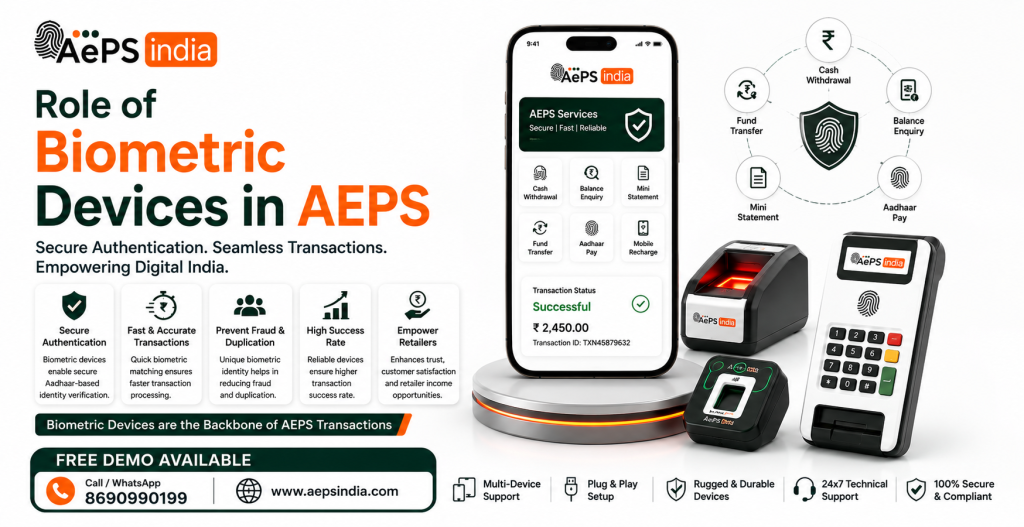
Biometric devices play an important role in AEPS (Aadhaar Enabled Payment System) by allowing customers to verify their identity through biometric authentication, mainly using fingerprints or iris scans. AEPS enables Aadhaar-linked bank account holders to access services such as cash withdrawal, balance enquiry, cash deposit and mini statement through authorised banking agents and micro-ATM touchpoints.
For customers, an AEPS biometric device makes banking simple and convenient because authentication can be completed without relying on a physical debit card. For retailers, CSPs and Business Correspondents, the device is an essential part of providing assisted banking services at the last mile.
Biometric devices use unique physical or behavioral traits to verify identity and secure physical or digital spaces.Biometric devices used in the Aadhaar Enabled Payment System (AePS) are STQC-certified hardware tools that capture fingerprints or iris scans to authenticate cardless banking transactions.
At AEPS India, understanding the role of biometric devices is important for choosing a reliable and compliant solution. UIDAI states that only Registered Devices are permitted in the Aadhaar authentication ecosystem, with registered devices designed to help protect biometric data integrity and prevent replay or tampering.
This guide explains what an AEPS biometric device is, how biometric authentication works in AEPS, its role in transaction security, benefits for retailers and customers, and what to consider when choosing an AEPS biometric device in India.
What Is a Biometric Device in AEPS?
A biometric device in the Aadhaar Enabled Payment System (AePS) is a hardware tool that captures unique physical traits like a fingerprint or iris scan to verify a customer’s identity for cardless and PIN-less banking transactions.
How Do Biometric Devices Work in AEPS?
Biometric devices in the Aadhaar Enabled Payment System (AePS) capture and encrypt unique physical traits like fingerprints or iris patterns to securely verify a user’s identity with the government database in real-time.
How the Process Works
- Data Input: The customer provides their 12-digit Aadhaar number and selects their bank name on a point-of-sale (PoS) or micro-ATM terminal operated by a banking correspondent.
- Biometric Capture: The user places their finger on an optical or capacitive scanner (such as a Morpho Fingerprint Scanner) or looks into an iris camera.
- Hardware Encryption: Registered Device (RD) service software inside the scanner encrypts the biometric data before it ever leaves the physical device.
- UIDAI Verification: The encrypted scan travels through the internet to the Unique Identification Authority of India (UIDAI) server to confirm the fingerprint matches the stored Aadhaar profile.
- Bank Authorization: Once UIDAI validates the identity, the National Payments Corporation of India (NPCI) routes the transaction request to the user’s specific bank to complete cash withdrawals or balance checks.
Biometric Device Specifications for AEPS
Aadhaar Enabled Payment System (AEPS) biometric devices require STQC and UIDAI certification, featuring L1 or L0 compliance for secure, encrypted fingerprint capture.
Core Technical Specifications
- Sensor Type: Optical sensor with high-resolution image capture (typically 500 to 600 dpi).
- Compliance & Certifications: UIDAI and STQC certified; L1 Aeps biometric devices are mandatory for enhanced end-to-end encrypted root-key security.
- Image Standards: ISO/IEC 19794-2 for fingerprint minutiae and ISO/IEC 19794-4 for image data; FBI PIV or WSQ compression compliant.
- Connectivity: USB 2.0, Micro-USB, or Type-C with USB OTG (On-The-Go) support for Android smartphones and tablets, or optional Bluetooth for wireless models.
- Operating Systems: Compatible with Android, Windows, and Linux via Registered Device (RD) services.
Role of Biometric Devices in AEPS
Biometric devices are the non-negotiable core of the Aadhaar Enabled Payment System (AEPS), acting as the direct bridge for secure, cardless identity verification.
Biometric devices in the Aadhaar Enabled Payment System (AePS) are secure hardware tools used to capture fingerprints or iris scans for cardless banking transactions.
Key Roles of Biometric Devices in AEPS
- Identity Verification: Fingerprint or iris scanners capture unique human traits to confirm a user’s identity against the UIDAI central database.
- Cardless & PIN-less Banking: They eliminate the need for physical debit cards, credit cards, or hard-to-remember secret PINs.
- End-to-End Security: Certified Level 1 (L1) devices encrypt biometric data instantly through Registered Device (RD) services, preventing data tampering or spoofing during transit.
- Financial Inclusion: They enable micro-ATM and Banking Correspondent (BC) networks to deliver last-mile financial services in remote villages where traditional banks are missing.
- Government Subsidy Disbursements: They authorize secure Direct Benefit Transfers (DBT), ensuring pensions, MGNREGA wages, and subsidies reach the intended beneficiary.
How to Use a Biometric Device for AEPS
To use a Aeps biometric device for the Aadhaar Enabled Payment System (AePS), you must connect an STQC-certified fingerprint scanner (such as Mantra or Morpho) to your phone or PC, install its matching RD (Registered Device) service app, and link it through your banking or Aeps business portal.
Step-by-Step Setup and Usage
- Choose a Certified Device: Make sure you use an STQC-certified Level 1 (L1) biometric scanner like Mantra MFS110 to comply with safety rules.
- Enable OTG on Phone: Go to your phone settings, search for OTG, and turn it on if you are connecting via a USB cable.
- Connect the Scanner: Plug your biometric device into your phone or computer.
- Install RD Service: Download the official app for your specific device brand from the Play Store (such as Mantra RD Service or Morpho RD Service). Allow all required permissions.
- Open your AePS Portal: Log in to your banking correspondent or AePS app.
- Select the Device: Go to device settings, pick your scanner brand from the list, and test the connection.
- Perform a Transaction: Enter the customer’s Aadhaar number, select their bank, and input the transaction amount (like cash withdrawal or balance check). Ask the customer to place their finger flat on the scanner until it captures successfully.
Why Are Biometric Devices Important for AEPS?
Aeps Biometric devices are the core hardware tools required to capture fingerprints or iris scans for real-time identity verification in the Aadhaar Enabled Payment System (AEPS).
Why Biometric Devices Matter
- Core Functionality: AEPS cannot work without Aeps biometric scanners because they replace physical debit cards and secret PINs.
- High Security: Fingerprints and iris patterns are unique to each person, which stops unauthorized access and lowers fraud risks.
- Financial Inclusion: People in rural or remote villages can do basic banking at local shops without needing a smartphone or bank branch.
- Ease of Use: Customers do not need to memorize difficult passwords or carry ID cards.
- Government Support: These devices ensure safe direct transfers for government pensions and subsidies straight to the right person.
- Data Safety: Certified devices encrypt your scan right inside the hardware before sending it to the UIDAI database.
Read Blog: AEPS Biometric Device: Complete Guide
Types of Biometric Devices Used in AEPS
Biometric devices used in the AePS mainly include fingerprint scanners, iris readers, and integrated micro ATM terminals.
Types of Biometric Devices
- Fingerprint Scanners: The most widely used devices for AePS transactions. They capture single or multiple fingerprint impressions for quick verification against the UIDAI database. Popular models include the Mantra MFS100 and Mantra MFS110 L1.
- Iris Scanners: Advanced optical devices that capture high-resolution images of the eye’s iris for high-security verification. Units like the Mantra MIS100 V2 are often used where fingerprint quality is poor.
- Combo Devices: Multimodal hardware that integrates both fingerprint and iris scanning sensors into a single unit for flexible authentication.
- Biometric Micro-ATMs / POS Terminals: All-in-one portable banking units combining a biometric scanner, a card reader (mag-stripe/NFC), and a thermal receipt printer for field transactions (such as the Mantra Mvyom7).
- Biometric Tablets: Android-based handheld tablets equipped with built-in STQC-certified Aeps fingerprint sensors designed for mobile banking agents.
AEPS Biometric Device Compatibility
AEPS biometric devices must be STQC-certified Level 1 (L1) and support Registered Device (RD) service software to be fully compatible with Aadhaar authentication standards.
Key Compatibility Requirements
- STQC & UIDAI Approval: Devices must have official government certification to ensure security and quality.
- Level 1 (L1) Security: Regulatory standards mandate L1 biometric scanners for safe, encrypted data capture.
- RD Service Integration: The device needs active RD service drivers to encrypt biometric data before it reaches the server.
- Operating System Support: Scanners must connect smoothly via USB or Bluetooth to Android phones or Windows PCs.
L1 vs L0 Biometric Devices for AEPS
L1 Aeps biometric devices encrypt data inside the hardware, while L0 devices encrypt data on the connected computer or host machine.
L1 vs L0 Biometric Devices Comparison
| Feature | L0 (Level 0) Device | L1 (Level 1) Device |
|---|---|---|
| Encryption Location | On the host machine (PC, phone, or laptop) | Inside the biometric scanner hardware itself |
| Security Level | Lower security; raw data passes to the host system | High security using a Trusted Execution Environment (TEE) |
| Sensor Type | Mostly optical sensors | Advanced capacitive or high-end optical sensors |
| Anti-Spoofing | Basic or none | Built-in liveness and presentation attack detection |
| AEPS / Aadhaar Status | Phased out and non-functional for Aadhaar/AEPS | Mandatory and fully compliant for AEPS and e-KYC |
| Common Examples | Mantra MFS100 (silver), Morpho MSO1300 E2/E3 | Mantra MFS110, Morpho MSO1300 E3 RD |
Best Mantra Biometric Device for Fingerprint Authentication
The best Mantra biometric device for fingerprint authentication is the Mantra MFS110 L1 Fingerprint Scanner, priced around ₹1,500 to ₹3,600, due to its mandatory L1 compliance, onboard encryption, and UIDAI approval.
Top Mantra Fingerprint Devices
This UIDAI-approved L1 biometric device features onboard hardware encryption, a scratch-resistant optical sensor, and direct USB Type-C connectivity. It is certified by the FBI and STQC, making it ideal for Aadhaar authentication, AePS banking, and CSC operations. You can learn more about its specifications directly from Aeps india.
Mantra MFS100 L0
This older, budget-friendly optical scanner costs around ₹1,500 to ₹2,000. While widely used in the past, it relies on the older L0 framework which is gradually being phased out for official government and financial verification portals in favor of L1 security.
Key Features
- Sensor Type: High-resolution 500 DPI optical sensor.
- Compliance: UIDAI / STQC L0 certified and RD (Registered Device) service enabled.
- Connectivity: Plug-and-play USB 2.0 interface.
- Common Uses: Aadhaar authentication, Jeevan Pramaan (life certificate), DigiLocker, PMJAY, banking eKYC, and customer service points (CSP).
Mantra MFS110 L1
This UIDAI Approved L1-certified device features onboard hardware encryption, a scratch-resistant optical sensor, and direct USB Type-C connectivity for stable mobile and PC use. It is ideal for Aadhaar authentication, e-KYC, AEPS banking, and CSC operations.
Key Features & Specifications
- Certifications: FBI PIV, STQC L1, UIDAI, CE, and FCC compliant.
- Security: Hardware cryptographic security featuring RSA2048 key generation, AES-GCM-256 encryption, SHA-256 hashing, and a True Random Number Generator (TRNG).
- Sensor Quality: 500 DPI optical sensor with 256 grayscale levels.
- Build: IP54-rated water and dust-resistant enclosure with USB and Type-C connectivity.
Mantra MFS500 LX
This advanced, rugged IP54-certified scanner supports MINEX compliance and FBI PIV FAP10 certification, making it well-suited for high-security access control and large-scale verification.
Key Features
- Sensor Quality: 500 DPI optical scratch-free sensor with 256 grayscale levels.
- Compliance: FBI PIV-071006 certified and MINEX-compliant with an embedded biometric extractor.
- Durability: IP54-rated housing that protects against dust and splashing water.
- Performance: Fast capture speed under 2 seconds with support for 180-degree rotation authentication.
- Interface: High-speed USB 2.0 plug-and-play connectivity compatible with Windows, Linux, and Android.
Why Choose the Mantra MFS110 L1
- Onboard Encryption: Encrypts and signs biometric data inside the hardware before transmission, meeting updated UIDAI L1 security standards.
- Direct Type-C Connectivity: Connects seamlessly to modern Android smartphones and laptops without unreliable OTG adapters.
- Durable Optical Sensor: Features a scratch-resistant, rugged surface (IP54 rated) designed to handle dust, dirt, and high-frequency daily usage.
- Official Certifications: Certified by STQC, FBI PIV-071006, CE, FCC, and RoHS for accurate capture and legal compliance.
- Ideal Applications: Widely used for Aadhaar authentication, e-KYC, CSC Digital Seva operations, and AePS banking transactions.
What Is RD Service in AEPS Biometric Devices?
RD Service (Registered Device Service) is a mandatory software layer required by UIDAI in India that securely encrypts biometric data (like fingerprints or iris scans) directly inside a certified device before transmitting it for Aadhaar authentication.
Why RD Service is Critical for AEPS
- Data Security: It eliminates the risk of data theft or interception by encrypting the Personal Identity Data (PID) block at the source (the scanner hardware) instead of storing or exposing raw biometric images to the host phone or computer.
- Device Whitelisting: Every registered device has a unique digital signature and ID, allowing UIDAI and banks to track, verify, and authenticate authorized hardware while blocking fake or compromised public devices.
- Mandatory for Transactions: Without an active RD Service subscription, biometric scanners (such as Morpho, Mantra, or Startek) will not work for AePS cash withdrawals, balance inquiries, eKYC, or digital banking operations.
- Validity and Renewal: RD Service typically comes pre-activated for 1 to 3 years with a new device, after which it requires a small annual renewal fee to maintain compliance and functionality.
AEPS Biometric Device Cost in India
An AEPS (Aadhaar Enabled Payment System) biometric hardware unit typically costs between ₹1,500 and ₹3,000 for a standard UIDAI L1-certified fingerprint scanner.
Hardware Cost Breakdown
- Basic USB Fingerprint Scanners (L1 Certified): ₹1,500 – ₹2,500 (e.g., Mantra MFS100/L1.
- Bluetooth / Wireless Scanners: ₹2,000 – ₹3,500+
- All-in-One Micro ATM / POS Bundled Devices: ₹3,000 – ₹10,000+ (includes thermal printer and battery).
Cost Breakdown of AEPS Hardware & Setup
- Basic USB Fingerprint Scanners: ₹1,500 – ₹2,500 (e.g., Mantra MFS100 devices with L1 certification).
- Integrated Micro ATM / POS Terminals: ₹2,000 – ₹10,000+ if you need built-in receipt printers and multi-function capabilities.
- Registered Device (RD) Service: Usually bundled for the first year, but may require a small annual renewal fee (approx. ₹250–₹500/year) depending on the manufacturer.
- Agent Registration / AEPS ID: ₹0 to ₹3,000, though Aeps india waive the Aeps onboarding fee if you purchase the biometric hardware directly through them.
- Software API Integration (One-time): ₹12,000 – ₹35,000 for standard Aeps API setup
- White-Label Portal Solutions: ₹15,000 – ₹1.2 Lakhs+ for a fully branded custom portal
- Working Capital: ₹10,000 – ₹20,000 recommended minimum cash liquidity for daily customer cash-out transactions.
Additional Costs of Using a Biometric Device for AEPS
Using a Aeps biometric device for the Aadhaar Enabled Payment System (AEPS) involves several additional costs beyond the initial hardware purchase.
Additional and Hidden Costs
- RD Service (Registered Device) Renewal: While many devices come with a 1-year Registered Device service, renewing it annually typically costs around ₹250 to ₹500 per year to keep the biometric scanner compliant and active.
- AEPS Software or API Integration Fees: Setting up the backend Aeps software or best Aeps API connection costs a one-time integration fee of ₹7,500 to ₹35,000, plus monthly or annual Aeps platform fees ranging from ₹15,000 to ₹80,000+ based on the Aeps india.
- Transaction and Commission Charges: Aeps india often deduct a per-transaction charge or commission ranging from 0.5% to 1% or a flat fee (up to ₹15) per cash withdrawal or balance inquiry.
- Annual Maintenance Charges (AMC): Technical support, server uptime, and Aeps software maintenance plans can add recurring yearly costs of ₹9,999 to ₹40,000 for commercial setups.
- Connectivity and Power Accessories: Dependable mobile data packs, OTG cables, or Bluetooth pairing support are necessary for field operations, adding minor recurring operational expenses.
AEPS Biometric Device Warranty and Support
AEPS biometric devices come with a standard 1-year manufacturer warranty covering manufacturing defects, alongside mandatory Registered Device (RD) service support for UIDAI authentication.
Warranty Coverage & Terms
- Standard Duration: Most authorized devices (such as Mantra MFS110) include a 1-year replacement or repair warranty for hardware and sensor issues.
- Exclusions: Physical damage, water damage, burnt components, and cable tampering are generally not covered under free manufacturer warranties.
- Extended Options: Annual Maintenance Contracts (AMC) can be purchased post-warranty for ongoing parts replacement and physical checkups.
Technical Support & RD Services
- RD Service Dependency: Biometric scanners require an active RD Service subscription to function for Aadhaar authentication; an expired RD service stops financial transactions.
- Support Inclusions: Technical assistance covers driver installation, USB OTG/Android pairing, and OS configuration.
- Vendor Assistance: Vendors like Radium Box and official brand Aeps portal provide remote troubleshooting and online activation support.
Read Blog: Affordable Micro ATM in India: Best Options for Retailers and Agents
Popular Biometric Device Brands for AEPS
The most popular and reliable Aeps biometric devices for the Aadhaar Enabled Payment System (AEPS) in India are the Mantra MFS110 L1 fingerprint scanner.
Top Biometric Devices for AEPS
Mantra MFS110 L1
- Price: Around ₹2,599 to ₹2,988
- Features: Fast optical sensor, L1 security certification, plug-and-play setup, and 1-year Registered Device (RD) service included.
- Best for: Daily banking transactions, affordable usage, and high durability.
Morpho MSO 1300 E3 L1 (IDEMIA)
- Price: Around ₹3,099 to ₹4,099
- Features: Advanced fake-finger detection, high-speed matching under 0.6 seconds, and strong encryption.
- Best for: Maximum security and long-term professional use.
Mantra MIS 100 V2 (Iris Scanner)
- Price: Around ₹3,099 to ₹3,229
- Features: High-precision eye scanning, STQC certification, and fast capture.
- Best for: Alternate authentication when fingerprints fail or for specific government schemes.
Important Things to Check Before Buying
- L1 Certification: Choose L1-certified devices as per government rules for better security than older L0 models.
- RD Service: Ensure the device comes with pre-activated Registered Device service so it works smoothly with banking apps.
- STQC Certification: Check that the hardware is approved by the government for Aadhaar authentication.
Security Features of AEPS Biometric Devices
AePS (Aadhaar Enabled Payment System) biometric devices use advanced hardware and best Aeps software protocols certified by the Unique Identification Authority of India (UIDAI) to ensure safe, cardless, and PIN-less financial transactions.
Key Security Features
- End-to-End Encryption (PID Block): Raw biometric impressions are instantly converted into an encrypted Personal Identification Data (PID) block at the device level, ensuring that fingerprint or iris data cannot be intercepted or stored by merchants or local apps.
- L1 Certification and Registration: Modern devices use L1 (Level 1) UIDAI-Registered Devices (RD Service) that process biometric encryption inside the hardware, adhering to strict National Payments Corporation of India (NPCI) and Reserve Bank of India (RBI) mandates.
- Biometric Liveness Detection: Scanners feature built-in liveness checks to differentiate real human skin and blood flow from silicone molds, cloned fingerprints, or latent prints.
- STQC Certification: Hardware sensors are certified by the Standardisation Testing and Quality Certification (STQC) Directorate to guarantee capture accuracy and resistance to spoofing.
- Device Binding: AEPS applications lock authorization to a single, verified hardware serial number, blocking unauthorized or cloned software terminals from routing requests.
- Real-Time Centralized Authentication: Data routes securely through NPCI switches to the Central Identities Data Repository (CIDR) for instant verification against official Aadhaar records, eliminating password theft and card skimming.
AEPS Biometric Device Requirements and Certifications
You need an STQC-certified Level 1 (L1) biometric device with active Registered Device (RD) service support to process Aadhaar Enabled Payment System (AePS) transactions.
Mandatory Certifications
- UIDAI Certification: Must comply with Aadhaar authentication standards for secure data handling.
- STQC Certification (Level 1 / L1): Mandatory approval from the Standardisation Testing and Quality Certification Directorate. As of January 1, 2026, all active devices must be L1 compliant for enhanced security.
- RD Service (Registered Device): Top Aeps Software driver required to encrypt biometric data at the source before sending it to the server, preventing the storage of raw biometric data.
Hardware & Technical Specifications
- Device Type: Single-finger USB/Bluetooth fingerprint scanner, iris scanner, or an integrated Android Micro-ATM/POS terminal. Popular approved models include the Mantra MFS100/MFS110.
- Liveness Detection: Built-in anti-spoofing features to detect fake or replica fingerprints.
- Host Compatibility: Android smartphones/tablets (Android 7.0 or higher with OTG support) or Windows PCs/laptops (Windows 7 or higher).
- Connectivity: Stable 4G/5G mobile data or broadband internet connection for real-time validation via UIDAI and NPCI servers.
How Biometric Devices Improve AEPS Transaction Success Rate
High-quality biometric devices improve AEPS (Aadhaar Enabled Payment System) transaction success rates by capturing clear biological data on the first attempt and preventing rejections caused by worn or callused fingerprints.
How Biometric Devices Enhance Success Rates
- Advanced Optical Sensors: High-end fingerprint scanners read faded or callused prints common among elderly or manual labor customers.
- L1 / STQC Certification: Certified hardware meets strict government accuracy standards, reducing false rejections and blocking spoofed data.
- Iris and Face Options: Dual-auth or iris-scanning alternatives help when fingerprints fail completely, lowering overall transaction drop-off.
- Encrypted Transmission: Secure RD (Registered Device) services speed up data transfer to the NPCI and UIDAI databases, preventing connection timeouts.
Biometric Devices for AEPS Retailers and CSPs
The best biometric devices for Aadhaar Enabled Payment System (AEPS) retailers and Customer Service Points (CSPs) are UIDAI and STQC-certified L1-compliant scanners like the Mantra MFS110 L1 Fingerprint Scanner and Mantra MIS100 V2 Iris Scanner.
Top Recommended Biometric Devices
- Mantra MFS110 L1 Fingerprint Scanner: Costs around ₹2,599 to ₹3,799. It offers high accuracy for elderly or callused fingers, L1 RD service encryption, and USB OTG support for Android phones.
- Startek FM220U L1: Costs around ₹2,599. Known for military-grade durability, scratch resistance, and seamless banking platform integration.
- Idemia Morpho MSO 1300 E3 L1: Costs around ₹3,099. Highly secure, featuring advanced liveness detection to prevent fake fingerprint attempts.
- Mantra MIS100 V2 Single Iris Scanner: Costs around ₹2,995 to ₹3,100. Ideal for high-precision secondary or backup authentication via eye scanning.
- Evolute Falcon Plus RD L1: Costs around ₹12,590. An all-in-one wireless kiosk solution featuring a built-in fingerprint scanner and thermal receipt printer for high-volume agents.
Essential Requirements for AEPS Setup
- L1 Security Compliance: Newer L1 biometric devices encrypt data at the device level, complying with mandatory NPCI and UIDAI security protocols.
- Registered Device (RD) Service: Must include active RD service subscription to legally connect with Aadhaar authentication servers.
- Processing Unit: An Android smartphone, tablet, or Windows laptop running a registered AEPS retail application (such as Aeps india).
Read Blog: Micro ATM Service in India: How It Works, Benefits & Setup
Biometric Devices and Financial Inclusion Through AEPS
Aadhaar Enabled Payment System (AePS) uses biometric devices like fingerprint scanners to let people do basic banking without cards or PINs.
Benefits for Financial Inclusion
- No Cards or Phones: People in rural areas do not need a debit card, smartphone, or internet connection to access funds.
- Doorstep Banking: Local shopkeepers act as micro ATM device, bringing financial services to remote villages.
- Direct Subsidies: Government pensions and benefits go straight into accounts, reducing fraud and delays.
- High Security: Unique fingerprints prevent unauthorized access and remove the need to remember passwords.
AEPS Biometric Device Setup – Step-by-Step Guide
To set up an Aadhaar-Enabled Payment System biometric device, you must connect a certified L1/L2 fingerprint scanner to your phone or PC and install its official Registered Device (RD) service driver.
Step-by-Step Setup Guide
Step 1: Enable OTG Connection (For Mobile Users)
- Open your smartphone Settings.
- Search for OTG or OTG Connection and toggle it On.
(Note: Many modern phones enable this automatically, but older phones require manual activation).
Step 2: Connect the Biometric Device
- Plug your fingerprint scanner (e.g., Mantra) into your phone’s charging port using an OTG adapter, or directly into a USB port on your PC.
Step 3: Install the RD Service App
- Open the Google Play Store on your phone.
- Search for your specific device service such as Mantra RD Service.
- Tap Install and wait for the download to finish.
Step 4: Grant Permissions and Register Device
- Open the newly installed RD Service application.
- Accept any prompt requests by tapping Allow or OK so the best Aeps app can communicate with the hardware.
- Wait for the trusted Aeps app to display a message confirming that the device is ready for use (a green checkmark usually indicates successful RD connection).
Step 5: Link with Your AePS Portal or App
- Open your authorized Aeps india.
- Log in using your agent credentials.
- Go to Settings or Device Configuration, select your scanner model, and run a Test Connection or initial fingerprint scan to finalize the sync.
Biometric Devices vs Traditional Banking Authentication
Biometric authentication provides faster and more secure user verification than traditional passwords or PINs by using unique physical and behavioral traits.
Key Differences
- Traditional Authentication (Passwords, PINs, Tokens): Relies on something you know or carry. These are vulnerable to phishing, guessing, reuse, and theft. If a password leaks, it must be manually reset.
- Biometric Authentication (Fingerprint, Face ID, Voice): Relies on something you are or do (inherence). It binds access directly to the physical user.
Comparison Breakdown
| Feature | Traditional Authentication | Biometric Authentication |
|---|---|---|
| Convenience | Low (requires remembering complex or multiple strings) | High (instant access via face or fingerprint) |
| Security Risks | High risk of credential stuffing, brute-force attacks, and phishing | Vulnerable to advanced spoofing, deepfakes, or sensor injection |
| Data Resets | Passwords can be changed easily after a breach | Biometric templates cannot be changed if permanently compromised |
| User Friction | High (leads to abandoned transactions or password fatigue) | Low (seamless, invisible verification flow) |
Benefits of Biometric Devices in AEPS
Biometric devices in the AePS provide secure, cardless, and PIN-less verification by matching a user’s fingerprint or iris scan against the UIDAI database.
Key Benefits of Biometric Devices in AePS
- Cardless and PIN-Free Convenience: Users do not need to carry physical debit cards, remember complex PINs, or own a smartphone to complete transactions.
- High Security and Fraud Prevention: Fingerprint and iris patterns are unique to each individual, heavily reducing the risk of identity theft, unauthorized access, and forged transactions.
- Promotes Financial Inclusion: Fingerprint and iris scanners bring essential banking services to rural and remote areas where full-scale bank branches or traditional Micro ATM are unavailable.
- Direct Government Disbursements: Subsidies, pensions, and welfare funds flow straight into the recipient’s bank account safely, cutting out middlemen and leakages.
- Encrypted Hardware Security: Certified and registered biometric devices encrypt user data at the hardware level before transmission, protecting it from tampering.
- Universal Interoperability: Customers can access their bank accounts through any authorized local micro ATM or business correspondent, regardless of which bank holds their account.
Limitations and Challenges of Biometric Devices in AEPS
Biometric devices in the Aadhaar-Enabled Payment System (AEPS) face core challenges including authentication failures from worn fingerprints, internet dependency, and risks of biometric cloning or fraud.
Authentication and Physical Limitations
- Worn or Faint Fingerprints: Manual laborers, farmers, and elderly users frequently experience worn or faded ridges on their fingers, causing scanner rejections.
- Environmental and Hardware Issues: Dust, dirt, dry skin, or smudged scanner glass cause false negatives where legitimate users are locked out.
- Lack of Physical Traits: A small percentage of users cannot provide clean fingerprints or clear iris scans due to physical disabilities or medical conditions.
Technological and Infrastructure Challenges
- Network Dependency: Scanners require real-time internet connectivity to match data against central UIDAI servers; poor rural coverage results in high transaction failure rates.
- Server Downtime: Technical glitches or National Payments Corporation of India (NPCI) gateway outages temporarily halt payment processing at micro-ATMs.
- Device Quality and Maintenance: Low-cost or poorly maintained optical scanners lose calibration over time, reducing matching accuracy.
Security and Fraud Risks
- Fingerprint Cloning: Rogue operators or fraudsters can capture latent prints or create silicone spoof molds to execute unauthorized withdrawals.
- Data Privacy Concerns: Intermediaries or compromised point-of-sale environments risk unauthorized logging or misuse of underlying Aadhaar numbers and biometric templates.
Read Blog: Micro ATM in India: How It Works, Benefits, Services & Complete Guide
AEPS Biometric Device Transaction Charges
AEPS (Aadhaar Enabled Payment System) transaction charges for customers are typically free for basic inquiries, while cash withdrawals or third-party agent services range from ₹5 to ₹20 per transaction depending on the Aeps india.
AEPS Transaction Rate Card
- Cash Withdrawal: ₹5 – ₹20 per transaction (average ₹15 at third-party business correspondent points; often free for a limited number of monthly transactions set by individual banks).
- Cash Deposit: ₹15 – ₹25 per transaction (varies based on agent handling and bank reconciliation policies).
- Balance Inquiry: Free at most base banks, though third-party or remote agents may charge a nominal ₹2 – ₹10 fee.
- Mini Statement: Free to ₹10 based on the Aeps india.
- Aadhaar-to-Aadhaar Fund Transfer: ₹5 – ₹10 per transaction.
Transaction Limits & Hardware Costs
- Transaction Cap: Maximum of ₹10,000 per transaction for cash withdrawals.
- Biometric Device Cost: UIDAI-certified, L1-compliant fingerprint or iris scanners (such as Mantra) cost between ₹2,000 and ₹3,000 as a one-time purchase.
How to Increase AEPS Transactions Using a Biometric Device
To increase Aadhaar Enabled Payment System (AePS) transactions using a biometric device, you must improve scanning accuracy, build local trust, and use compliant hardware.
Upgrade and Maintain Hardware
- Use L1 Certified Devices: Switch to STQC-certified Level 1 (L1) biometric scanners (like Mantra or Morpho). L1 devices encrypt data at the sensor level and offer higher fingerprint matching success rates.
- Clean the Scanner Regularly: Wipe the glass surface of the fingerprint scanner often. Dust, oil, or dirt can cause scanning failures for elderly or callused fingers.
- Ensure Stable Connectivity: Connect your smartphone or terminal to a high-speed internet network to prevent transaction timeouts and dropped requests.
Optimize Customer Experience
- Guide First-Time Users: Teach customers how to properly place their finger flat on the center of the scanner. Help them moisten dry fingers if needed to improve scan quality.
- Offer Multiple Services: Do not limit customers to cash withdrawals. Promote balance inquiries, mini-statements, and cash deposits to increase daily transaction volume.
- Provide Instant Receipts: Give printed receipts or confirm instant SMS alerts. Fast and transparent service builds customer loyalty and repeat visits.
Expand Local Reach
- Run Awareness Campaigns: Inform local residents about cardless banking and Direct Benefit Transfer (DBT) withdrawals, such as pensions or MGNREGA wages.
- Use Local Marketing: Share your availability, services, and trust messages on community messaging groups or social media.
Biometric Device vs Traditional Banking Authentication
Biometric authentication uses unique physical or behavioral traits, while traditional authentication relies on shared secrets or codes like passwords, PINs, and OTPs.
Biometric vs. Traditional Banking Authentication
| Feature | Biometric Authentication (Fingerprint, Face, Iris) | Traditional Authentication (Password, PIN, OTP) |
|---|---|---|
| Core Mechanism | Unique physiological or behavioral traits | Memorized secrets or delivered codes |
| Security Level | High to Very High; non-transferable and hard to spoof when paired with liveness checks | Medium; vulnerable to phishing, brute-force, and interception (like SIM swaps) |
| User Convenience | Instant; no memorization needed, fast login via phone or scanner | Moderate to Low; requires remembering complex codes or waiting for SMS texts |
| Vulnerability to Theft | Low; traits cannot be easily guessed or shared | High; passwords can be leaked, and SMS OTPs can be intercepted |
| Data Resetability | Permanent; biometric data cannot be changed if compromised | Flexible; passwords and PINs can be instantly changed or reset |
| Primary Use Case | Mobile banking app logins, device passkeys, and remote KYC onboarding | Traditional ATM access, legacy web portals, and fallback verification |
Biometric Device Maintenance and Troubleshooting
Maintaining and troubleshooting an Aadhaar Enabled Payment System (AePS) biometric device ensures uninterrupted secure banking transactions.
Routine Maintenance Best Practices
- Clean the glass scanner regularly using a soft, lint-free microfiber cloth to remove dust, oil, and sweat residue.
- Keep RD Service updated to the latest version required by your device manufacturer (like Mantra or Morpho) to avoid sudden authentication blocks.
- Avoid harsh chemicals or rough paper towels that can scratch the optical glass sensor.
- Protect the hardware from extreme heat, dust accumulation, and liquid spills.
Common Troubleshooting Steps
- Device Not Detected: Switch the USB port, replace the cable, or check your operating system’s Device Manager to confirm if the driver is loaded properly.
- Expired RD License: Renew your Registered Device (RD) service license, as an expired key causes immediate authentication rejection.
- Repeated Fingerprint Failures: Clean the customer’s finger, wipe away excess sweat, or ask them to use a different registered finger if calluses or dry skin block the scan.
- Authentication Errors (U3/Mismatch): Limit continuous retries to avoid temporary device or merchant blocking on Aeps portal networks.
Read Blog: Buy Micro ATM Online in India: Best AEPS Device Price & Complete Guide
Biometric Authentication and Customer Privacy in AEPS
Biometric authentication in the Aadhaar Enabled Payment System (AePS) verifies a customer’s identity via fingerprint or iris scans matched against central UIDAI records, replacing traditional cards and PINs.
How Biometric Authentication Works
- Credential Capture: The user provides their 12-digit Aadhaar number, selects the bank, and places their finger or iris on a certified biometric scanner.
- Encrypted PID Block: The device encrypts the biometric data into a secure PID (Personal Identification Data) block before transmission.
- Real-Time Matching: The encrypted block travels via secure Aeps API to the UIDAI server for instant validation, returning a simple yes/no response to authorize the transaction with the NPCI.
Customer Privacy Protections
- No Local Data Storage: Merchants and banking correspondents never store raw fingerprint or iris data on their devices or local servers.
- Privacy by Design: The UIDAI database operates on a closed-loop verification model, outputting only an authentication success or failure rather than sharing personal profile data.
- Explicit Consent: Every single transaction requires the customer’s physical presence and active biometric participation to initiate.
- Liveness Detection: Modern L1-certified scanners use liveness checks to ensure the fingerprint belongs to a live person, stopping spoofing attempts.
Common Biometric Device Errors in AEPS
Common biometric device errors in an Aadhaar-Enabled Payment System (AEPS) usually happen due to hardware connection faults, incorrect finger placement, or outdated registered device (RD) services.
Frequent Biometric Errors & Causes
- Biometric Mismatch (Error 300, 800, 810): The scanned fingerprint does not match the UIDAI database due to worn-out skin, dry/wet fingers, or the user placing the finger incorrectly on the edges of the scanner instead of the center.
- Device Initialization Error (Error 720): Communication or link failure between the computer/phone and the scanner. It often occurs due to loose USB cables or a stopped RD service.
- Device Not Registered / Unregistered (Error 740 / 9903): The biometric device’s RD service license has expired, or the device is not mapped correctly with the vendor server.
- Invalid DPID / Certificate Error (Error 557): Conflict caused by old or multiple device drivers installed on the same system.
Actionable Troubleshooting Steps
- Re-plug the Device: Unplug the USB cable from your phone or PC, wait a few seconds, and plug it back into a stable port.
- Clean the Sensor: Wipe the glass scanner surface clean of dust, oil, or sweat before scanning.
- Restart RD Service: Go to your device manager or Aeps b2b app settings, restart the specific RD service (such as Mantra or Morpho service), or reinstall the latest official driver.
- Correct Finger Placement: Ask the user to wash and dry their hands, avoid using hand sanitizer right before scanning, and place the center of their thumb or index flat on the scanner.
- Remove Conflicting Drivers: Uninstall older or unused biometric device software to prevent driver clashes.
Best Practices for Using Biometric Devices
Best practices for using biometric devices focus on local data storage, strong backup methods, and clean hardware maintenance to ensure security and reliability.
Data Security & Storage
- Store locally: Keep biometric data like fingerprints or face templates directly on the device hardware, such as a secure enclave, rather than on a central server.
- Encrypt information: Use strong encryption protocols for any data in transit or at rest.
- Provide fallbacks: Always set up a backup PIN, password, or multi-factor authentication method in case the biometric scan fails.
- Limit data retention: Delete biometric records promptly when they are no longer needed for their specific purpose.
How to Choose the Best Biometric Device for AEPS
To choose the best biometric device for AEPS (Aadhaar Enabled Payment System), select an UIDAI L1-certified device that offers high scanning accuracy and active Registered Device (RD) service support.
Key Factors to Consider
- L0 vs. L1 Certification: Always choose an L1 device (like the Mantra MFS110 or Morpho MSO 1300 E3 L1) over older L0 models. L1 devices feature on-device encryption and higher security compliance mandated for financial transactions.
- RD Service Support: Ensure the device comes with or supports active Registered Device (RD) service. Without it, the scanner will not connect securely to the UIDAI servers for Aadhaar authentication.
- Surface and Sensor Quality: Look for scratch-resistant optical or capacitive sensors that can easily read dry, worn, or rough fingerprints common in rural banking areas.
- Platform Compatibility: Verify that the device drivers support your operational setup, whether it works smoothly with Windows PCs or Android mobile phones/tablets via OTG.
Top Recommended Devices & Approximate Prices
- Mantra MFS110 (L1): Widely trusted, highly durable, and costs around ₹2,990 to ₹3,799 (including RD service bundles).
- Morpho MSO 1300 E3 (L1): Known for superior authentication accuracy and robust market adoption; priced around ₹3,000 to ₹4,500.
- Startek FM220U (L1): A cost-effective, reliable alternative for high-volume daily scanning.
Read Blog: All You Need to Know About Micro ATM Machine: Features and Working
Why Choose AEPS India for AEPS Biometric Device Solutions?
Choose an AEPS (Aadhaar Enabled Payment System) biometric device and Aeps india by evaluating regulatory compliance, hardware security certification, and transaction success rates.
Key Factors to Evaluate
- Compliance & Certification: Ensure the Aeps india follows guidelines set by the Reserve Bank of India (RBI) and the National Payments Corporation of India (NPCI). Verify that the hardware uses L1-certified (Registered Device) biometric scanners approved by UIDAI.
- Transaction Reliability & Uptime: Look for Aeps b2b software with at least 99.9% system uptime and transaction success rates over 98% to prevent failed payments and build local trust.
- Settlement Speed: Choose a Aeps india offering instant (T+0) or same-day (T+1) fund settlements so your business maintains healthy daily cash flow and liquidity.
- Data Security: Confirm that the best Aeps platform uses end-to-end encryption (SSL/TLS) to safely transmit sensitive fingerprint and financial data between the scanner and bank servers.
- Commissions & Transparent Pricing: Highest commission structures per transaction and check for hidden integration or annual maintenance fees.
- Technical Support: Aeps india offer 24/7 technical assistance to quickly troubleshoot device connection errors or New Aeps API downtime.
Future Trends in AEPS Biometric Devices
The future of Aadhaar Enabled Payment System (AEPS) biometric devices centers on mandatory Level 1 (L1) STQC certification, multi-modal biometrics, and AI-powered anti-spoofing.
Key Trends in AEPS Biometric Devices
- Mandatory L1 Compliance: Older L0 devices have been phased out in favor of STQC-certified Level 1 (L1) biometric scanners. These modern devices encrypt user data directly inside the hardware sensor, preventing fingerprint cloning and spoofing.
- Multi-Modal Authentication: Devices are moving beyond single fingerprints to support combined verification methods, including facial recognition and iris scanning, which improve transaction success rates.
- AI Anti-Spoofing and Liveness Detection: Built-in artificial intelligence detects fake silicone fingerprints, rubber prints, or static facial photos to confirm that a live user is physically present.
- Mobile-First and Bluetooth Integration: Portable, lightweight, and Bluetooth-enabled fingerprint and multi-biometric scanners are surging in popularity. They pair seamlessly with smartphones and Android POS machines for on-the-go rural banking.
- Stricter Regulatory Guardrails: NPCI and RBI guidelines now couple hardware requirements with tighter operational mandates, such as the “One Agent, One Bank” rule and compulsory biometric validation for high-value transactions.
Conclusion: Role and Importance of Biometric Devices in AEPS
Biometric devices are an important part of the Aadhaar Enabled Payment System (AEPS) because they make banking transactions simple, secure, and convenient. With an AEPS biometric device, customers can authenticate their identity through biometrics and access services such as cash withdrawal, balance enquiry, and other basic banking services without depending on a debit card or PIN.
For retailers, CSPs, and banking agents, choosing a reliable and certified biometric device in AEPS is essential for smooth and secure transactions. A good device can improve authentication accuracy, customer trust, and the overall AEPS service experience.
Biometric devices identify and authenticate individuals by measuring unique physical or behavioral traits like fingerprints, facial features, or irises.
Biometric devices in the Aadhaar Enabled Payment System (AePS) are secure, STQC-certified hardware scanners that capture and encrypt fingerprints or iris patterns to verify user identity against the UIDAI database.
For businesses looking to start or expand their best AEPS services, AEPS India provides AEPS solutions and biometric device options designed to support digital banking services across India. The right combination of an fast AEPS platform and reliable biometric device can help retailers provide convenient banking services while contributing to greater financial inclusion.
In short, AEPS biometric authentication is more than just a transaction verification method it is an important technology that connects customers with essential banking services in a simple and accessible way. As digital banking continues to grow, biometric devices will remain an important part of the AEPS ecosystem in India.
For anyone looking to start or expand an AEPS business, investing in a certified AEPS biometric device and using a dependable AEPS b2b platform can help provide customers with fast, convenient, and secure banking services.
Ready to start your AEPS business with the right biometric and Aeps software solution? Contact AEPS India to discuss your requirements and request an AEPS solution demo.
Get Professional AEPS Biometric Devices with Aeps India
Looking for reliable AEPS biometric devices for your business? Connect with Aeps India to discuss device options, pricing, availability, and support for your AEPS service requirements.
Frequently Asked Questions About AEPS Biometric Devices
Biometric devices are used to authenticate a customer’s identity during Aadhaar Enabled Payment System (AEPS) transactions. Fingerprint scanners are commonly used to capture biometric information for identity verification.
Fingerprint scanners are the most commonly used biometric devices for AEPS. Depending on the setup and requirements, devices from brands such as Mantra, Morpho, and Startek may be used.
The customer provides their Aadhaar details and selects the required banking service. The biometric device captures the customer’s fingerprint, which is securely transmitted for authentication. Once authentication and other transaction checks are completed, the transaction can be processed.
Biometric authentication is a key part of standard AEPS transactions. A compatible and properly functioning biometric device is therefore important for completing biometric-based AEPS transactions.
An L1 biometric device is a newer generation biometric device designed with stronger security features and enhanced encryption. L1 devices are generally preferred for modern AEPS deployments because of their security and compliance requirements.
Common issues include fingerprint mismatch, the device not being detected, an expired or unavailable RD service, poor fingerprint capture quality, and connectivity or software-related problems.
Keep the biometric scanner clean, ensure the customer’s finger is clean and properly positioned, use a supported device, and keep the required RD service or device software updated. If one finger does not authenticate successfully, another supported finger may be tried.
The cost varies depending on the device, security level, brand, and current market pricing. Basic devices may be available at lower prices, while advanced L1 devices generally cost more.
Biometric devices directly affect the authentication process and can influence transaction success rates and customer experience. Reliable devices can help AEPS agents provide smoother banking services to customers.
Biometric authentication adds an identity-verification layer to AEPS transactions and can help reduce the risk of unauthorized transactions. However, biometric authentication should be combined with proper security practices and compliance measures.
Before purchasing a device, check its compatibility with your AEPS platform, supported RD service, security level, certification/compliance requirements, operating-system support, and availability of manufacturer support and updates.
Biometric authentication can make digital banking more accessible to customers who may have limited access to conventional banking channels. AEPS enables eligible customers to access certain banking services through assisted service points using Aadhaar-based authentication.
What Is AEPS Transaction? Meaning, Process, Types & Benefits

Top AEPS Service Provider Company in India 2026

Earn Daily Commission Using AEPS API Service in India
About Author

